


Greetings! To our dear members that are interested to file for their candidacies, please check the details below.
There are 2 Methods on how we can file our candidacies:
METHOD 1: VIA OUR PHYSICAL OFFICES
Step 1: Please proceed at any of our TLCS Offices. You can check on our branch addresses here: https://treasurelinkcooperativesociety.com/branches/
Step 2: Ask any of our TLCS staff present for a copy of our COC Form.
Step 3: Fill-up the form and submit. Done!
Note: You can also pre-download our forms by proceeding to this link: https://treasurelinkcooperativesociety.com/downloads/
Method 2: VIA ONLINE / Using desktop or mobile browsers.
Step 1: Please Go to our Official Website at https://treasurelinkcooperativesociety.com/
Step 2: Click the Download Button at the upper part of the homepage.
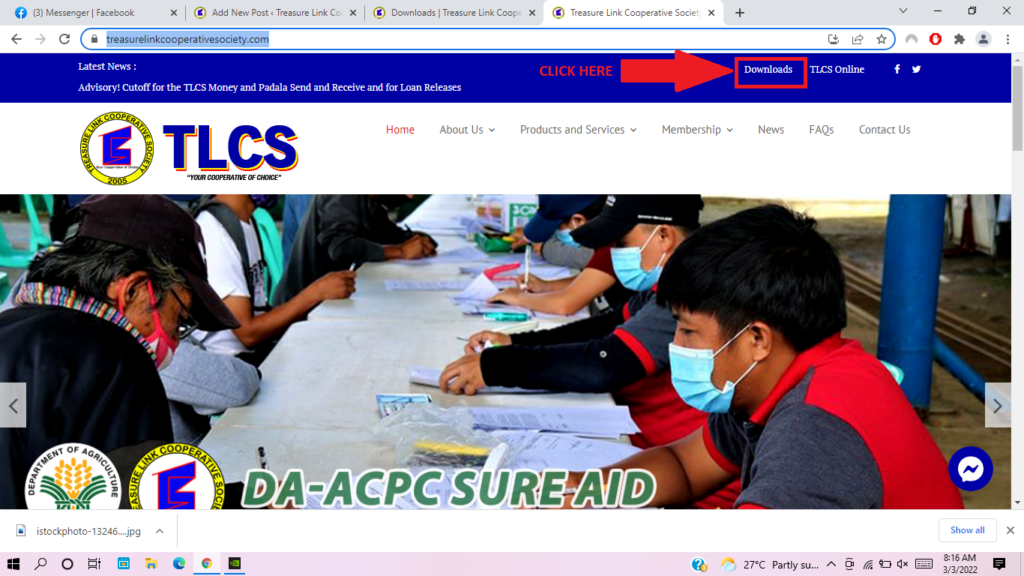
Step 3: After clicking the Downloads Button, you will land on our Downloads Page. Just scroll and look for the “Certificate of Candidacy 2022” and click the Download Button next to it.
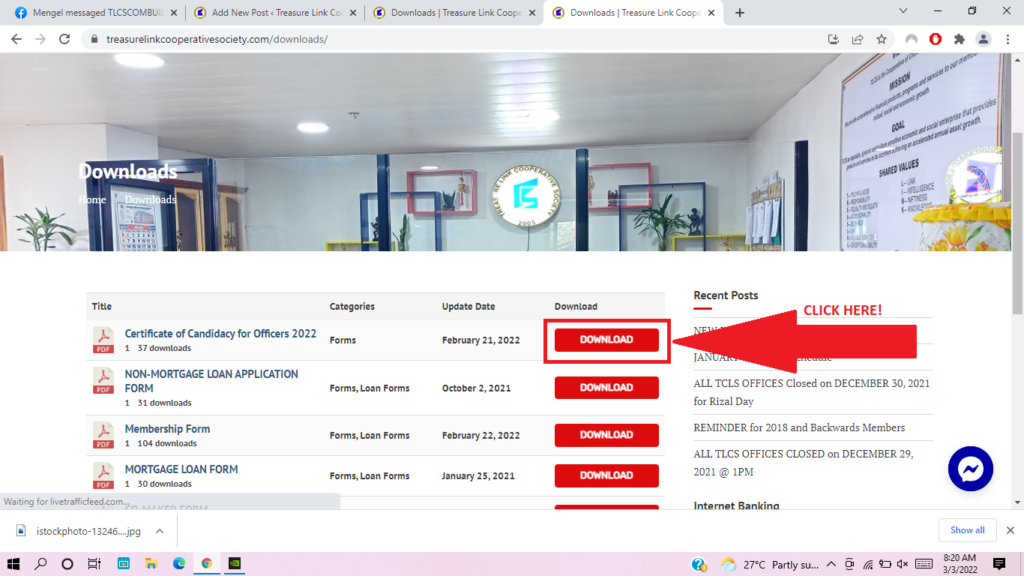
Step 4: The form will then automatically be downloaded. Please check your downloads destination folder and open up the form.
Step 5: You can print the form and fill it up before submitting to any of our TLCS Offices, or you can scan it after filling up and send it to our HELPDESK’s email address:tlcs.helpdesk2022@gmail.com
Step 6: Done!
Note: For queries, you can contact us on our helpdesk email address: tlcs.helpdesk2022@gmail.com or via our Official Facebook: @tlcs2005